Paper link here
Category: Thesis
Magic Windows: W3 reading – Tangible Bits: Towards Seamless Interfaces between People, Bits and Atoms
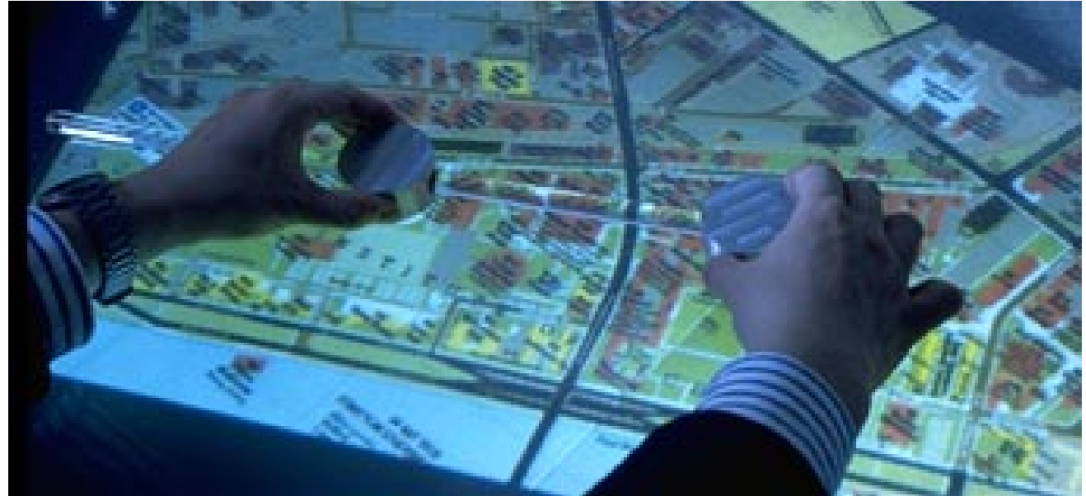
Tangible Bits: Towards Seamless Interfaces Between People, Bits and Atoms by Hiroshi Ishii and Brygg Ullmer @ MIT Medialab / Tangible Media Group. It is not a proposed solution but hopes to “raise a new set of research questions to go beyond the GUI (graphic user interface)”
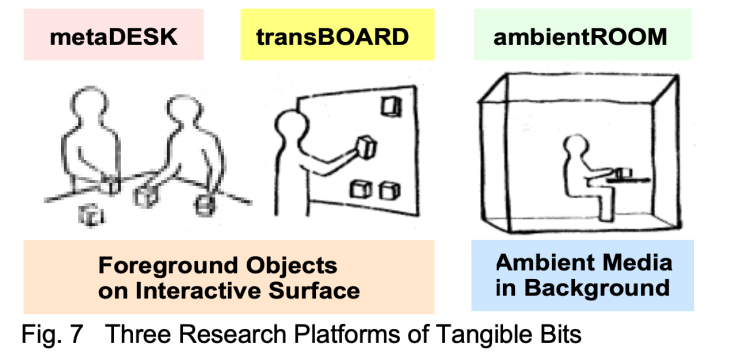
In the paper they break down 3 essential ideas of Tangible bits:
- interactive surfaces
- coupling of bits with graspable physical objects
- ambient media for background awareness
Using 3 prototypes for illustration:
- metaDESK
- transBOARD
- ambientROOM
Tools throughout history
It begins with the reflection on how before computers people created a rich and inspiring range of objects that measure the passage of time, predict the planets movements, to compute and draw shapes. A lot of them are made of a range of beautiful materials from oak to brass( such as items in the Collection of Historical Scientific Instruments).
” We were inspired by the aesthetics and rich affordances of these historical scientific instruments, most of which have disappeared from schools, laboratories, and design studios and have been replaced with the most general of appliances: personal computers. Through grasping and manipulating these instruments, users of the past must have developed rich languages and cultures which valued haptic interaction with real physical objects. Alas, much of this richness has been lost to the rapid flood of digital technologies.”
Bits & Atoms
What has been lost in the advent of personal computing? How can back physicality and its benefits to HCI. This question brought them to the thought of Bits & Atoms. That “we live between two realms: our physical environment and cyberspace. Despite our dual citizenship, the absence of seamless couplings between these parallel existences leaves a great divide between the worlds of bits and atoms”. Yet we’re expected at times to be in both worlds simultaneously, why do our interfaces not reflect or provide this bridging(thinking at the time of the published paper)?
Haptic & Peripheral Senses

Weather changes can be swift, Campeche Bay, Mexico.

They mention that we have created ways of processing info through working with physical things like Post it notes. Or how we might be able to sense a change of weather through a shift in ambient light. However these methods are not always folded into the developing of HCI design. That there needs to be a more diverse range of input/output media – currently there is “too much bias towards graphical output at the expense of input from the real world”
From Desktop to Physical Environment: GUI to TUI
Xerox Star workstation laid the foundation for the first generation of GUI, a desktop metaphor,
” The Xerox Star (1981) workstation set the stage for the first generation of GUI, establishing a “desktop metaphor” which simulates a desktop on a bit-mapped screen. Also set several important HCI design principles, such as “seeing and pointing vs remembering and typing,” and “what you see is what you get.”
Apple then brought this style of HCI to the public in 1984. Pervasive through Windows and more. In 1991 Mark Weiser published “Ubiquitous Computing.”
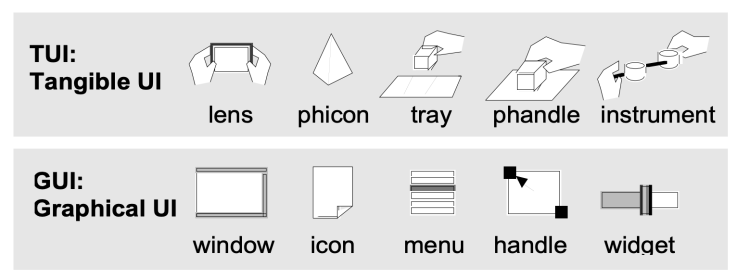
Keywords tangible user interface, ambient media, graspable user interface, augmented reality, ubiquitous computing, center and periphery, foreground and background. It showed a different style of computing / HCI that pushes for computers to be invisible. Inspired by this paper they seek to establish a new type of HCI called “TUIs”. Tangible User Interfaces, augmenting the real world around us by pairing with digital information to everyday things and spaces.
Magic Windows: W3 Reading – Bricks: Laying the Foundations for Graspable User Interfaces
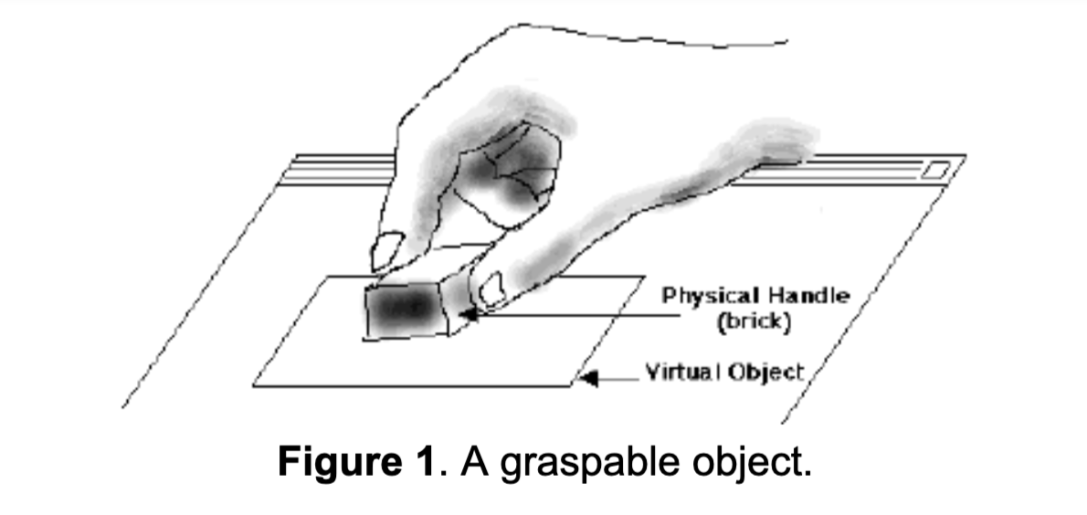
Bricks: Laying the Foundations for Graspable User Interfaces
An argument for virtual items having physical forms. That physical items allow for richer interactions /affordances that ” include facilitating two handed interactions, spatial caching, and parallel position and orientation control”.
This paper was publiched in the ACM proceedings of CHI ’95 by George Fitzmaurice, Hiroshi Ishii, and William Buxton. It Introduces the concept of Graspable User Interfaces which allow for control of electronic or virtual objects via physical control handles. The “bricks” are physical objects that function as input devices paired to virtual objects for manipulation or expressing an action. They work with a large display surface that they deemed the “active desk”. In the paper they present 4 stages:
-
- series of exploratory studies on hand gestures / grasping
- interaction simulations using mockups / rapid prototyping tool
- working prototype and sample application called GraspDraw
- initial integration of graspable UI concepts into a commercial application
Space multi-plexed object
“With space-multiplexed input, each function to be controlled has a dedicated transducer, each occupying its own space. For example, an automobile has a brake, clutch, throttle, steering wheel, and gear shift which are distinct, dedicated transducers controlling a single specific task.”
Time multi-plexed object
“uses one device to control different functions at different points in time. For instance, the mouse uses time multiplexing as it controls functions as
diverse as menu selection, navigation using the scroll
widgets, pointing, and activating “buttons.””
GUIs as an example of dissonance
“the display output is often space-multiplexed (icons or control widgets occupytheir own space and must be made visible to use) while the input is time-multiplexed (i.e., most of our actions are channeled through a single device, a mouse, over time). Only one task, therefore, can be performed at a time, as they all use the same transducer. The resulting interaction techniques are often sequential in nature and mutually exclusive.”
The Graspable UI philosophy as proposed solution for this dissonance (bullets from paper)
-
- “It encourages two handed interactions [3, 7];
- shifts to more specialized, context sensitive input devices;
- allows for more parallel input specification by the user, thereby improving the expressiveness or the communication capacity with the computer;
- leverages off of our well developed, everyday skills of prehensile behaviors [8] for physical object manipulations;
- externalizes traditionally internal computer representations;
- facilitates interactions by making interface elements more “direct” and more “manipulable” by using physical artifacts;
- takes advantage of our keen spatial reasoning [2] skills;
- offers a space multiplex design with a one to one mapping between control and controller; and finally,
- affords multi-person, collaborative use.”
KEYWORDS: input devices, graphical user interfaces,
graspable user interfaces, haptic input, two-handed
interaction, prototyping, computer augmented environ-
ments, ubiquitous computing
Basic Concepts
Additional Word Bank:
- transducer – a device that converts energy from one form to another
- multiplexing – “method by which multiple analog or digital signals are combined into one signal over a shared medium. The aim is to share a scarce resource. For example, in telecommunications, several telephone calls may be carried using one wire. Multiplexing originated in telegraphy in the 1870s, and is now widely applied in communications. In telephony, George Owen Squier is credited with the development of telephone carrier multiplexing in 1910.”
- think back to pcomp/icm exploration
- space-multiplexed
- time-multiplexed
-
paradigm – a typical example or pattern of something; a model.
-
concurrence – the fact of two or more events or circumstances happening or existing at the same time.
- haptic technology
Magic Windows: W3 – Object Augmentation
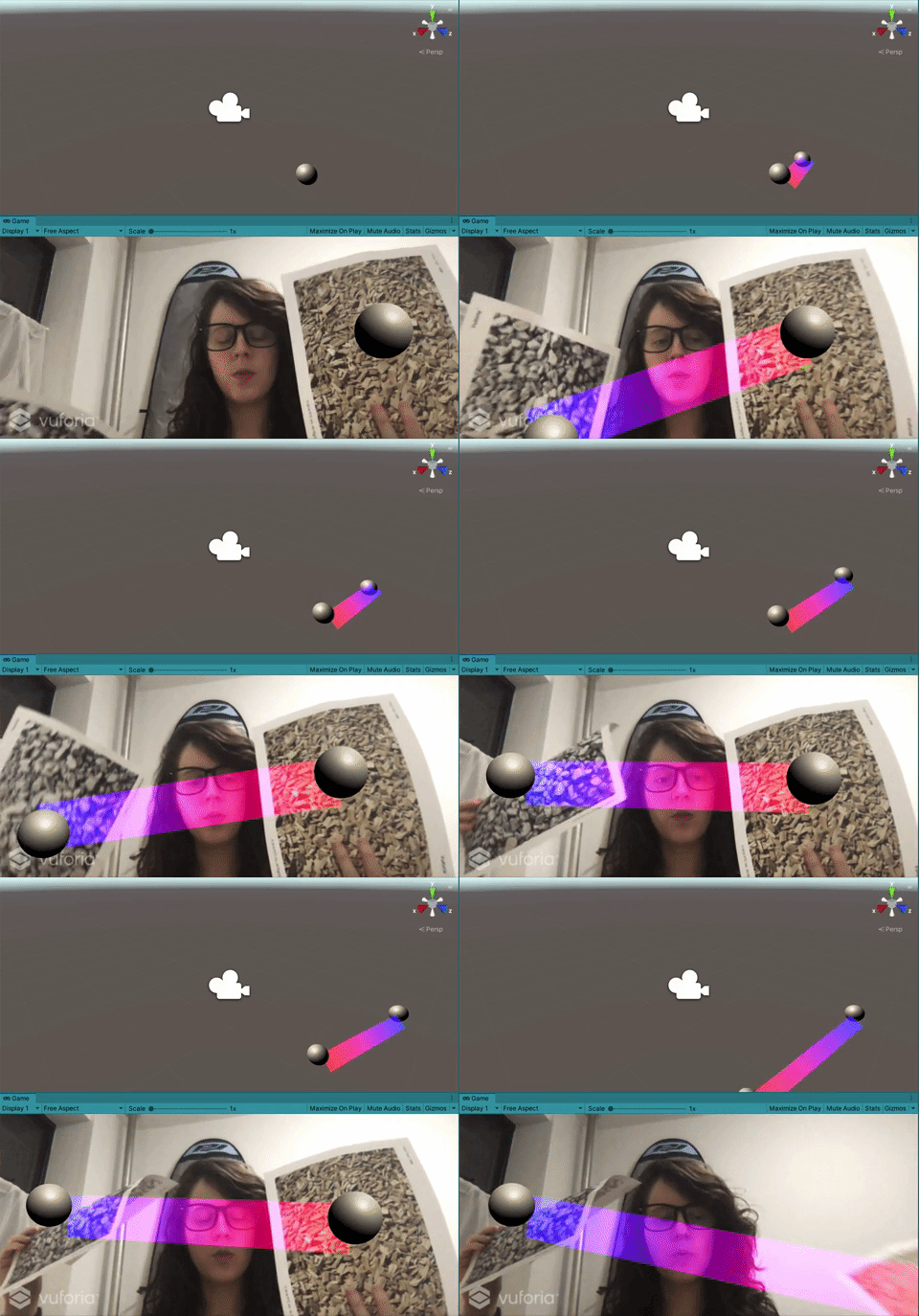
What does it mean to augment objects, both technically and conceptually ?
This week Rui brought to focus up a few thinking points as well as walked us through a vuforia tutorial. Class began thinking about the philosophy of animism as a powerful approach to thinking about object augmentation.
“Animism is the belief that objects, places and creatures all possess a distinct spiritual essence. Potentially animism perceives all things — animals, rocks, rivers, weather systems, human handiwork, and perhaps even words as animated and alive (from wiki)”.
Also thinking about developmental psychology theorist Piaget and how kids are egocentric in that for a set amount of years tend to only have themselves as a reference, as a way they experience the world, in and in that thinking embody objects as a relational exercise. As an example how sometimes instead of we got lost we say the car got lost when really it was a combination of us, our gps etc.
Rui challenged us to move beyond thinking about projection, past the hologram assistant.
He also talked about how to augment objects as an interface. How to extend the current tool and its current functionality? Can a waterbottle also tell you about the amount of water drunk over the day? How to invoke, look at the form and materiality of things and how to blend its form into the ar space / more naturally tied
He then brought up to the sensation of Pareidolia , seeing faces in everyday objects. How the brain reads for easy patterns sometimes and fills in the dots. A quick assesment as a signal to noice mechanic, reaching conclusions that aren’t always correct like an outlet being a face. Or Rui’s parallel example of hearing Portugese vowel sounds when listening to Russian. Think also about how computer vision / facial recognition works too.
Then we walked through a bunch of fun examples of augmenting objects.
Suwappu – Berg London
Garden Friends – Nicole He
Tape Drawing – Bill Buxton
https://www.billbuxton.com/tapeDrawing.htm
Smarter Objects
- https://dspace.mit.edu/handle/1721.1/91844
- https://www.core77.com/posts/24829/mit-media-lab-fluid-interfaces-groups-smarter-objects-interface-design-24829
Invoked computing
- http://www.k2.t.u-tokyo.ac.jp/perception/invokedComputing/
- https://www.wired.com/2011/11/augmented-reality-university-of-tokyo-invoked-computing/
MARIO
Paper Cubes – Anna Fusté, Judth Amores
InForm
when objects dream – ECAL
HW for next week:
- Eyes on
Pls read at least one of the following:- Developing Augmented Objects: A Process Perspective
- Bricks: Laying the Foundations for Graspable User Interfaces
- Tangible Bits: Towards Seamless Interfaces between People, Bits and Atoms
Extra reading: Radical Atoms
it is a nice pairing with Ivan Sutherland’s ‘The Ultimate Display’ - Hands on
Write a brief paragraph about your idea on augmenting an object.
This should be initial concept for next week’s assignment.
Be clear about your idea, inspirations and potential execution plan.
- Brain on
List potential input (sensory) and output( feedback) modes that you can leverage in the real world – translate these into technical possibilities using current technology (you can use your mobile device but feel free to bring any other technology or platform (Arduino? Etc..) that you can implement.
Choose on elf each (input, output) and create a simple experience to show off their properties but, also, affordances and constraints.
Magic Windows: AR Target brainstorm
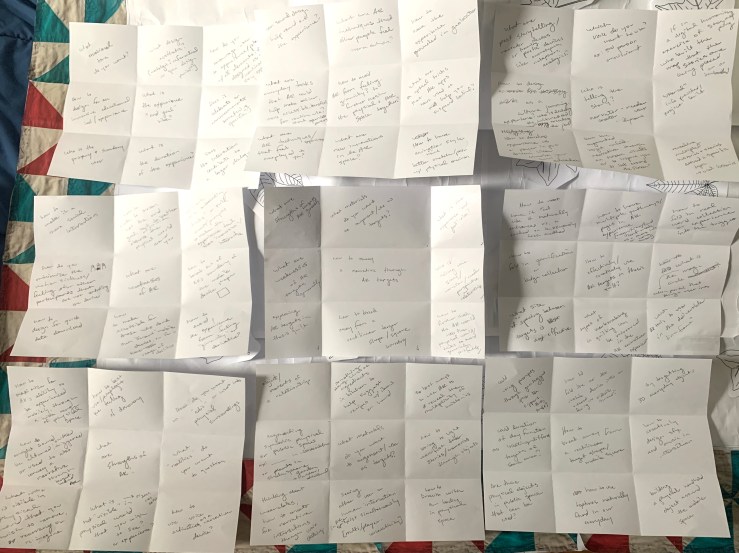
Lotus style brainstorm around “How to Convey a Narrative Experience using AR targets”
Center of Lotus:
- What are the strengths of AR targets?
- What are the weaknesses of AR targets generally?
- How to explore AR targets in thesis quilt project
- How to break away from a rectilinear target shape / boundary of mobile device?
- How to further mesh the AR world into the physical environment / tricks to avoide gimmicky pitfalls?
- Who is telling the story – narrator/reader relationship or perspective?
- What is the experience “end goal” vibe?
- What materials do you want to augment / use as targets?
Petal pages:
- What are the strengths of AR targets?
- How to maximize for AR’s ability to be experienced mobilely, through a wide range of physical space?
- How to best get at the feeling of discovery?
- How do you want to “edit”/ manipulate surroundings?
- What “realities” do you want to question?
- How to use voice activation as a narrative device?
- What is not “visible” in physical world that you wish to see or experience?
- What is “visible” in physical world that you wish to rearrange, remove or re-imagine?
- How might sound be altered- shifted or triggered to convey a narrative through target based AR
- What are weaknesses of AR?
- How to break out of AR’s boundary of the mobile device shape?
- How to avoid the experience from feeling “gimicky” or derivative?
- How to make accessible? for those who dont own smart mobile devices and for a range of abilities
- how to design for quick data download?
- how do you minimize the motion sickness/ feeling for other participants that are not contoling the device?
- How to make it a social interaction
- how to make the mobile screen not the end goal but to better observe the physical world around you
- What are some onboarding tricks for AR use? Or quick prompts to make the experience feel more “immersive” / interactive?
- What materials do you want to augment / use as targets?
- objects / moments of a relationship to something or someone?
- somethings along lines of ingredients in kitchen suggesting recipes with items on hand
- best ways to use AR to reveal the multiplicity of histories (or untold histories)
- how to bring to light / manifest stories through objects
- how to draw with our bodies in space?
- seeing other human interaction in the AR world, multi-player interaction
- thinking about wearables, how to create fun narrative interactions through worn objects
- augmenting symbolic physical or public spaces ex: Stonewall Forever AR at Christoper Park / or in a digital humanities way using the plaques in botanitcal gardens shakespeare garden to augment different passages
- What is the experience “end goal” vibe
- what design aesthetic? [nostalgic, referential to a specific moment in design history]
- how do you encourage user to experience / play w/ several elements if designed as a nonlinear, explorative story experience?
- Does it celebrate or commemorate something specific?
- Does the interaction contribute to a larger dialogue?
- what is the duration of the experience?
- who is the primary & secondary user?
- how to design for an immersive educational tool / experience?
- what emotional tone do you want?
- How to avoid AR from feeling gimmicky? To further mesh the physical & AR space together?
- What are AR techniques that other people feel worn out on?
- How to have experience the grounded in geolocation
- what are optical tricks that AR apps have used to help you suspend belief?
- how to have animation style or visuals better match the physical environment? (if elevates the story?)
- What are new innovations in the AR space?
- What are techniques /experiences that feel overplayed to you?
- What are everyday tasks that AR could help make easier, more accessible, beneficial for routine use? think openlab parsons
- How can sounds best support and round out the experience?
- How to break away from a rectilinear target shape / mobile screen?
- how to fold the ar mobile device intro an outward facing screen of a wearable?
- what are effective playful 3d everyday objects to use as targets?
- how to creatively design sfx and music in interaction
- building a physical handheld object around the mobile space
- how to use textures naturally found in our everyday?
- are there physical objects in public space that can be used?
- could duration of day function as creating different targets but still the same object?
- could using prompts through geolocation support a more exciting experience?
- how to effectively / creatively use AR targets in thesis quilt?
- how to have multiple pathways / pages in AR experience [magnifier / find leaf mode vs a more info button / return home screen]
- how to fold in real world collection or experience into the trigger
- what is the action that brings the user into the ‘magic circle’ as we talked about in Joy of Games?
- Which AR tools to use in the deliverable time frame?
- What types of mark making in quilting can be mirrored in the ar animation experiment
- what size or spacing between targets is most effective
- how to fold in gamification or badge collection?
- how to have it reel like it naturally enhances the project / feels integrated vs a tacked on buzzwordy tech method?
- who is telling the story?
- which voice do you want to use?
- ex:3rd person omniscient
- if in a digital humanities exercise of “thick” storymapping, who built the map that the stories are being placed or imbedded?
- historical / educational?
- revealing multiple histories & stories around a specific topic
- oral histories
- does the augmented target unfold the narrative through onscreen visuals (having to watch) verses visual cues to inspire you to looks around the screen?
- how to develop experience to be player input driven, like a choose your own adventure or generative storyline?
- how to design as a culture jamming activity / experience? who is dictating the culture? and who is creating the jam
- what are storytelling narration or poetic devices that could be helpful?(like breaking 4th wall(is there a 4th wall in ar)? or onomatopoeia / metaphors?
- which voice do you want to use?
Filtering
Highlighting
Value mapping – Prioritization
The art of paying attention: Meeting quilt maker Adelia Moore
Last week I had the chance to meet Nancy’s friend Adelia and talk about her experiences with quilting. It was so wonderful to hear her talk through her creative process and show examples of different things she’s made. More soon! She also mentioned to check out the episode of Mr. Rogers that she was on and an article she wrote in the Atlantic titled Mr Rogers: the art of paying attention.
Thesis: W2 – MVP
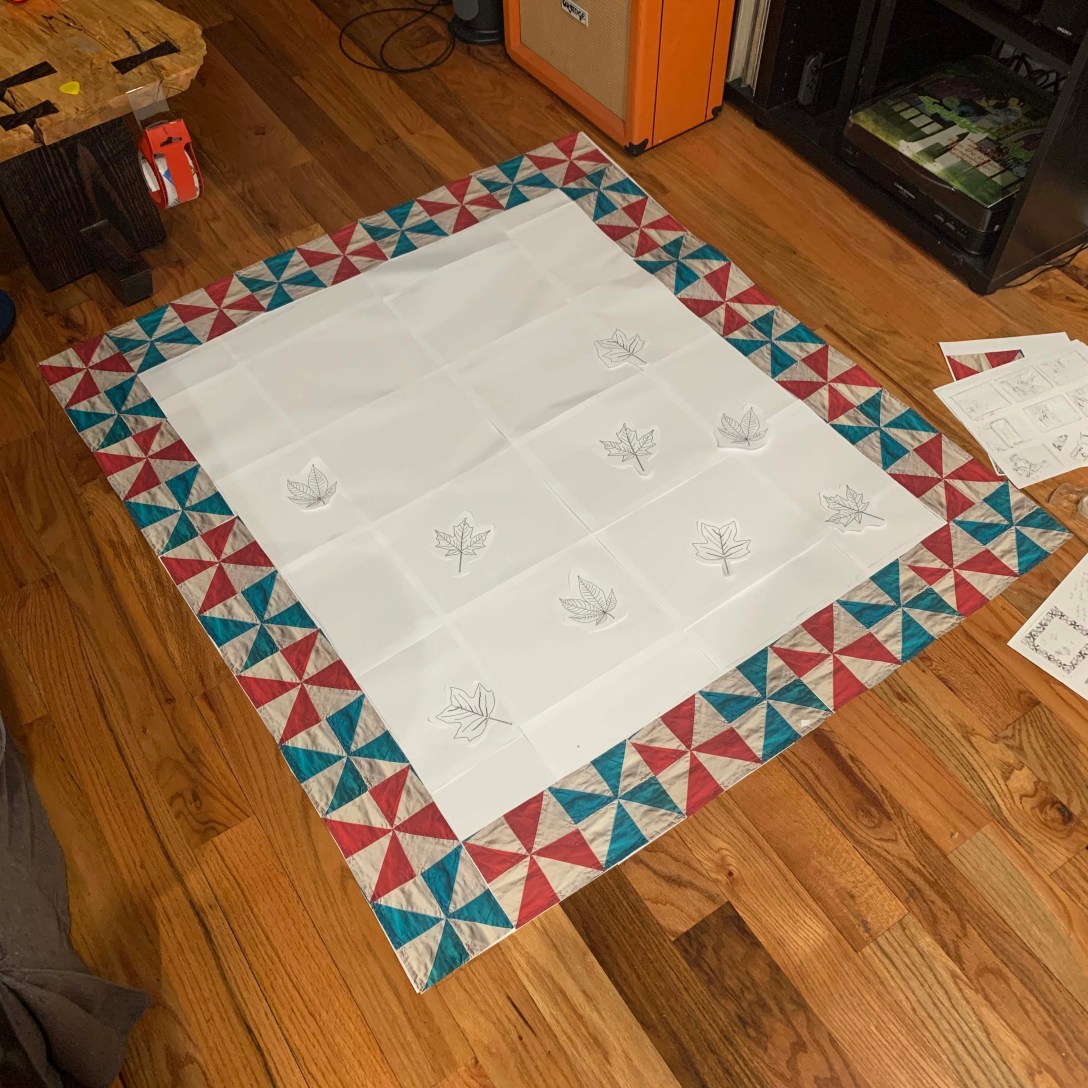
For homework this week we were to create a MVP prototype of our thesis. To imagine as if it were due and have the interaction at least play test-able.
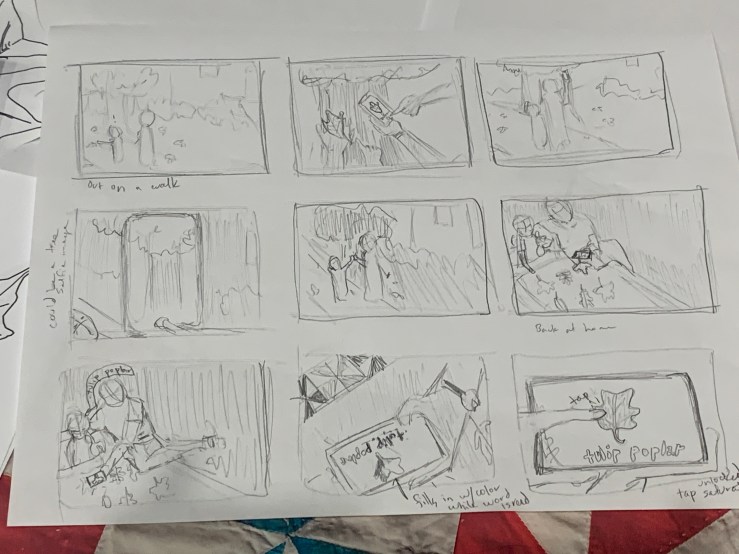
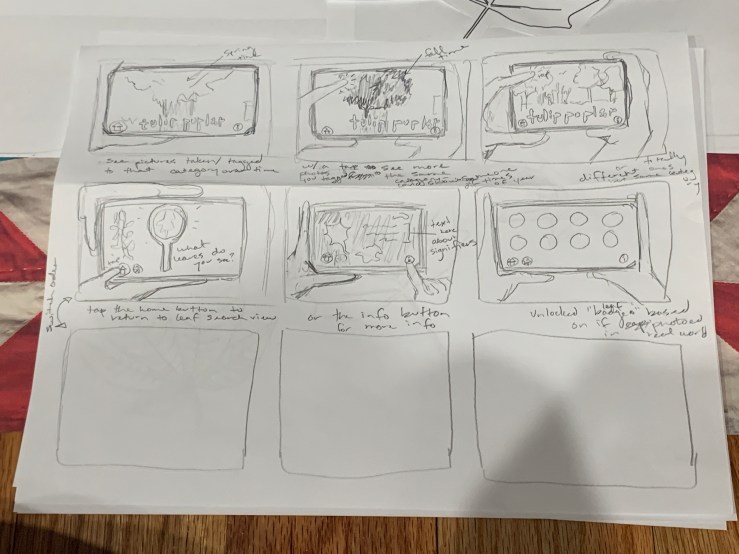
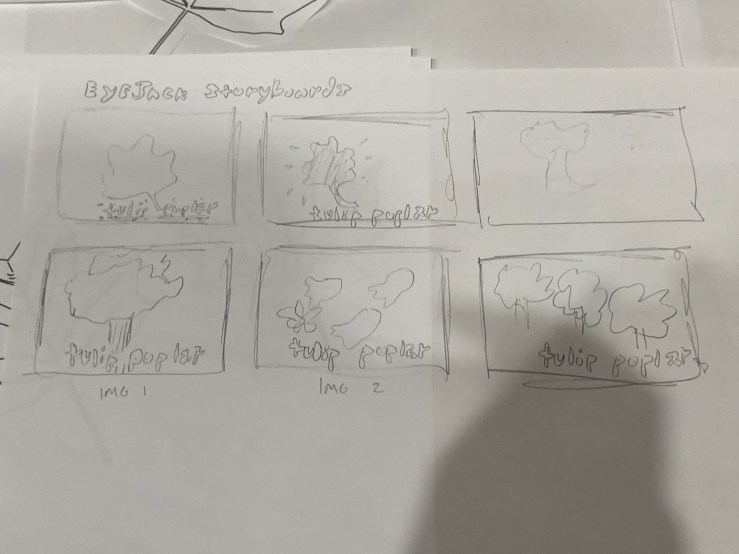
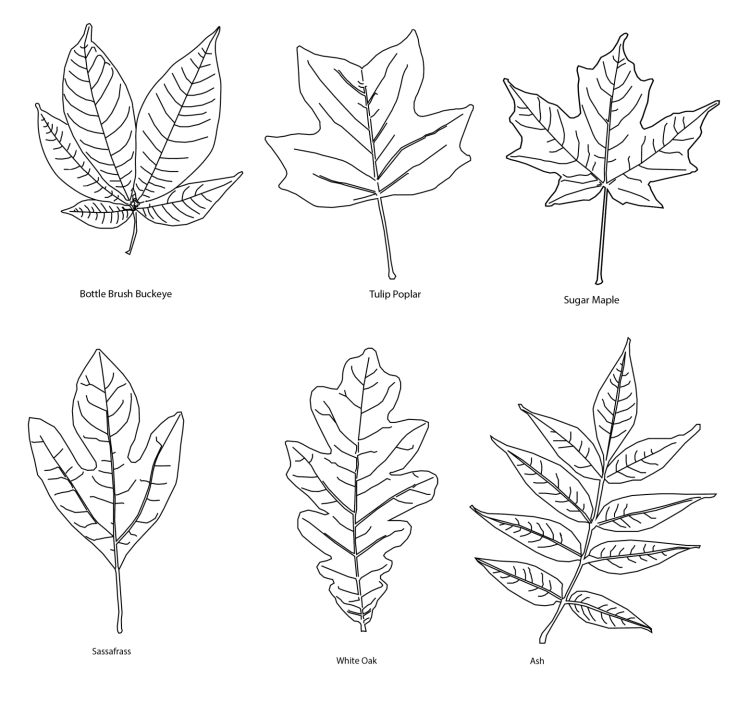
Since my Vuforia tests are taking a little longer than expected, hoping to storyboard out in drawings and then have a printed quilt with the attachable “leaf ids” that can be activated through Eyejack to simulate the AR experience. ( Playing off of some of the observations from playing with different AR apps)
After spending a month back in TN with family I got to hang out with my nephews a good bit. We got the oldest an ElectroDough kit , although he loved everything about it it was clear that the badges really helped him go through things in a specific order, and increased his desire to achieve all stages. Inspired me to think about if there was a way that parents could then add on different leaf patches (which unlocks additional AR interaction) as they come across them in the real world. Similar to a leaf id print out or fieldguide.
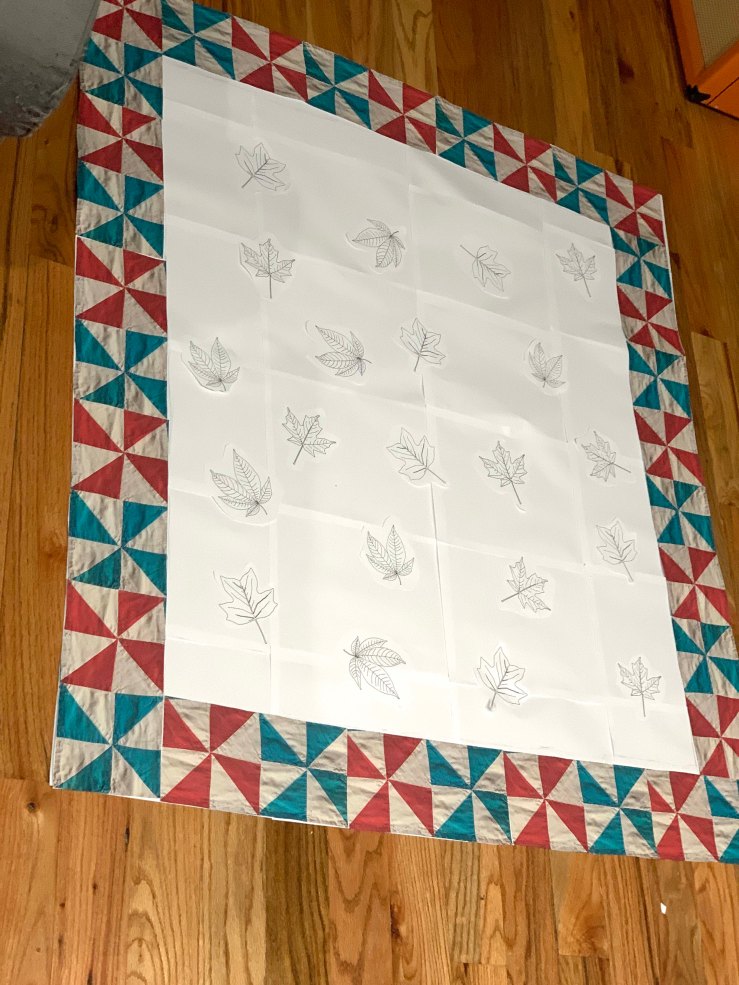
AR Strengths / Weaknesses

https://www.youtube.com/watch?v=MNP77K9RsjIFor this week thesis teacher Sarah asked me to playtest as many AR apps as I could and see what their strengths and weaknesses were. Then to think which strengths make sense to design for into my mvp / first prototype. For this round I got to test out about 1o different ones and hope to keep exploring more:
- David Bowie Is – AR Exhibtion
- Wonderscope: Story – Red Riding Hood
- Wonderscope: Story – Sinclair Snakes – Museum Mischief
- Big Bang / cern
- Weird Type
- My Caterpillar
- Picture this
- Seek
- Night Sky
David Bowie AR Exhibit
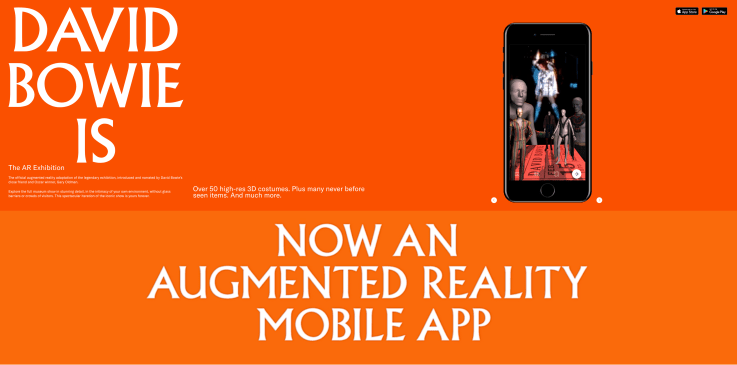
- good range of media available (costumes, liner notes, videos, etc)
- liked the map of gallery lay out / table of contents
- good onboarding
- audio levels of various media (narrator vs song clips) were surprisingly different / a little too jarring in difference?
- reiterated the importance of mastering / unifying & double checking levels for possible use cases (ex: with earbuds vs over ear headphones)
Wonderscope
- voice activation to move story forwards
- encourages interaction with characters / makes the illusion feel more believable as a dialogue exchange
- builds reading skills
- some stories have difficulty with scale if immobile (like tucked in for bed)? but it is meant to encourage the user to move around
- good on boarding to make sure the room is light enough and that the mic & camera permissions are on
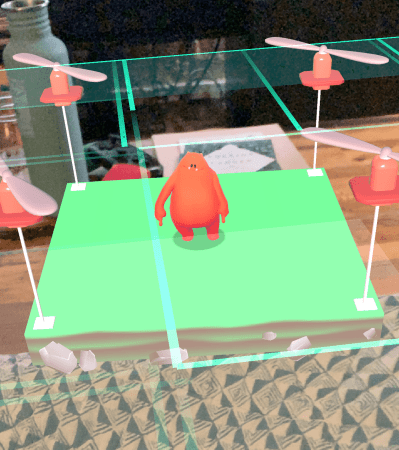
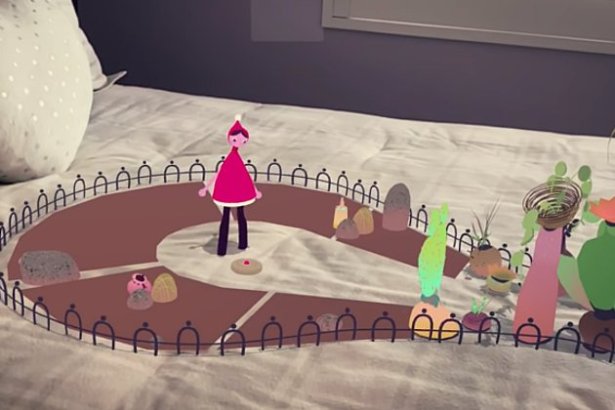
- Wonderscope Story – Red Riding Hood
- uses the ability to go into spaces like entering the house with your phone moving through the door
- like the others, can click on items that the character needs to move the story forward
- has a visual indicator of sparkle particles that radiate vertically off the item to be found / clicked (helpful with
- increases interactivity by having user read verb commands that then affect the animations like “spin” or “sprinkle”
- liked the educational aspect of the bigdipper & the north star
- Wonderscope Story – Sinclair Snakes – Museum Mischief
- liked the use of different tool interactions
- flashlight to search for hiding snake
- duster to dust for footprints
- how the ar museum rooms highlight
- liked the use of different tool interactions
Big Bang in AR : Cern
Weird Type – Zach Lieberman
Starwalk
My Caterpillar
Some nature apps (non ar)
Picture this
Seek
Magic Windows: Vuforia & Image Targets
Getting Started
Step 1: create dev account @ https://developer.vuforia.com/
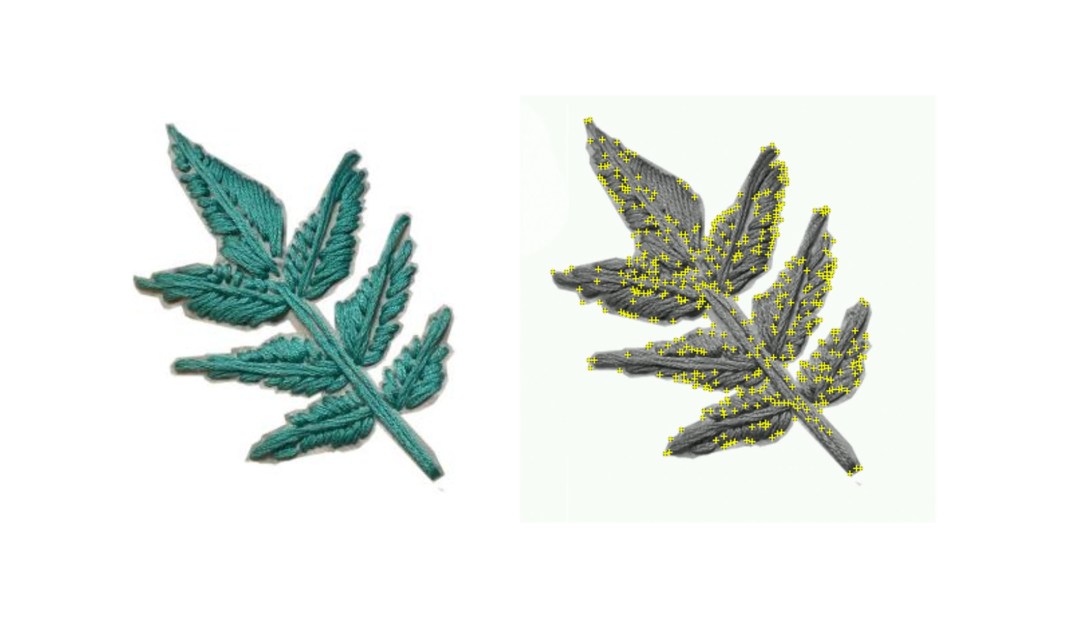
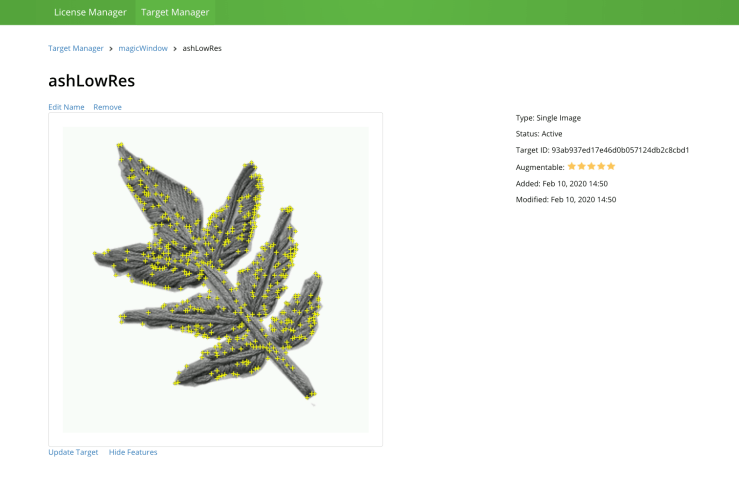
Adding personal target tests: embroidered ash leaves

Step 2: image targets tutorial
-
- eyes on Image Targets documentation: https://library.vuforia.com/content/vuforia-library/en/articles/Training/Image-Target-Guide.html
-
- On the developer portal go to Develop/License Manager and generate a license (keep it handy!)
-
- under Develop/Target Manager create image target and add your target Image(s). Please note its rating and features quality. Below info is pulled from the Vuforia Developer portal:
- “Image Targets are detected based on natural features that are extracted from the target image and then compared at run time with features in the live camera image. The star rating of a target ranges between 1 and 5 stars; although targets with low rating (1 or 2 stars) can usually detect and track well. For best results, you should aim for targets with 4 or 5 stars. To create a trackable that is accurately detected, you should use images that are:”
-
Attribute Example Rich in detail Street-scene, group of people, collages and mixtures of items, or sport scenes Good contrast Has both bright and dark regions, is well lit, and not dull in brightness or color No repetitive patterns Grassy field, the front of a modern house with identical windows, and other regular grids and patterns
-
- “Image Targets are detected based on natural features that are extracted from the target image and then compared at run time with features in the live camera image. The star rating of a target ranges between 1 and 5 stars; although targets with low rating (1 or 2 stars) can usually detect and track well. For best results, you should aim for targets with 4 or 5 stars. To create a trackable that is accurately detected, you should use images that are:”
- under Develop/Target Manager create image target and add your target Image(s). Please note its rating and features quality. Below info is pulled from the Vuforia Developer portal:
- download img database package (as Unity Editor package)
- make sure running Unity on a 2019.2.xx version
- follow guides to set up on ios or android
Iterating off in class tutorial
Image Target class example
- create new project (3D)
- create new scene
- Open build settings and make sure the right platform is selected
- Open Player settings: make sure to add your package/bundle name, etc
- Under XR settings: activate Vuforia
- delete camera and directional light from the project hierarchy
- add ARcamera
- config Vuforia settings
- add App License Key
- config Vuforia settings
- under Assets/Import Package select Custom Package and select the Samples.unitypackage or your own target image database
- add IMG target prefab to the hierarchy
- make sure to select the right database
- make sure to select the right image target
- add a sphere primitive as a child of the image target (name it: ‘eye’)
- scale xyz .2
- pos (0.0, .148, 0.0)
- create and apply white eye material
- add second sphere as child of ‘eye’ and name it ‘pupil
- scale xy z .25 .25 .1
- pos 0, .012 .471
- create and apply new black pupil material
- create a new c# script, name it ‘LookAtSomething’
public class LookAtMe : MonoBehaviour {
// transform position from the object we want to be looking at
public Transform target;
// Update is called once per frame
void Update () {
// use the coordinates to rotate this gameobject towards the target
this.transform.LookAt(target);
}
}
- add the new script to the ‘eye’ GameObject in the hierarchy
- make sure to link the ARCamera (what we want the eye to be looking at) to the target transform property
- test! Move around and check if the eye is always looking at the camera
- make a prefab out of ‘eye’
- add any more necessary instances of the ‘eye’ prefab
- Have fun!
Questions for Rui
- module for mobile environment setup?
So you want to build an AR project…
This week we had residents Ilana and Terrick talk to us about building out AR/VR projects for thesis. Since I hope to explore the AR route potentially as well as for Magic Windows class wanted to note some of the points here too. Office hours this week with thesis advisor Sarah was also an assignment was two fold:
1: to play with and dissect as many AR apps as possible – what’s working and what’s not?
2: to stark making and that playing with quick AR creation tools like EyeJack will help get at what interactions for my quilt feel successful verses not.
We also talked about the target audience of kids and connecting them to local ecology through plant identification.
Think about an AR/VR project?
In the thesis presentation from the residents they raised some good consideration points. The importance of content and design, concept first and the tech to then help lift it up.
- Why is AR the right medium for your project?
- Content First and Design
- Technology “second”
- Understand what your project is about
- consider – is it the right medium? if yes, why?
- Look for references and understand what they did right/wrong
- what platforms did they use? what is the scale of the project?
Some AR References
Anna Ridler – Wikileaks: A Love Story (2016)
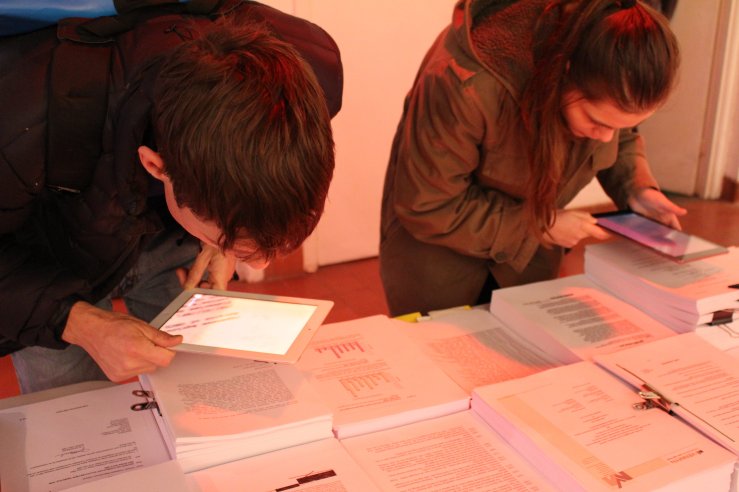
Zach Lieberman – Weird Type App (2019)
Planeta – David Bowie Is – AR exhibition App (2018)
Wonderscope (2018)
What is your minimal MVP (Minimal Viable Product)?
- What are your goals / MVP?
- Playing off of what we talked about in thesis class last week, always check back in with yourself about what your MVP is – A version of your final thesis output that has jus enough features to satisfy your benchmarks and provide feedback for future product development? Remember that the ITP thesis is more of a “Proof of Concept” prototype that you can then apply to grants, residencies, etc for incubation / final productions
- Think about Content and Design, A lot!
- “According to what your project goal and MVP is, understand what is the right content to present, interactions you will need to create and aesthetics. This will guide you to decide on the tech.”
- Sketch your experience and think about the user
- “When/where will people use it? How easy/hard should it be for people to access it?”
- Think about the aesthetic you aim to create
Advice for project builds
Terrick gave us a great breakdown of his learnings from his VR thesis and Ilana of her AR thesis. Both offered great advice for building out projects:
- Don’t underestimate the planning stage
- Users won’t always do what you want them to
- Photorealism isn’t always the best approach to creating believable experiences
- Spend ample time on sound
- Users are not used to have their mobile cameras as a ‘portal’. People still see it only as a docummenting tool. So keep in mind you will have to educate the user all the time.
- Create Gaze cues.
- Play with scale.
- Make a great Onboarding. Assume people won’t realize things by themselves and test.
- Understand that you have two spaces: the 2D UI and the 3D space. Design for both.
- Consider also that you have two spaces for gathering user input. Take advantage of that.
- Don’t forget about sound.
Technology
Define your project – Is it:
- functional product
- gaming
- storytelling
- experiment / artistic
PossibleAR tech:
- Gaming Engine:
- Web AR
- Dev Environment
- Xcode
- _ _
- Others
- Most likely:
Tech Learnings
From Ilana:
- Building takes time. A lot. With that the development process is super slow, mainly when you think about geolocation projects. So plan accordingly.
- To scale things accurately, you will be building in your device and testing all the time. A good tip is to build a system in the UI that will be only for your development process.
- If you are working with geolocation, don’t expect things to be in the exact coordinates in real space that you place them in your code. Our phone’s GPS is not accurate.
- This is a fast paced tech environment. Things change, versions get updated and sometimes, if you are working with different libraries and SDKs, at some point they may not work together anymore. So always have your MVP in mind and goals to prioritize.
- If you plan on putting your app on the AppStore, make sure to test it on multiple devices.
- It is a new medium and there is not a lot of people doing projects with this technology. Send e-mails, participate in communities and meetups. People will be excited to talk to you and share experiences.
- Just user test a lot. Don’t assume anything will work well until it does.
From Terrick:
- Not everyone knows what VR is. Onboarding is important!
- It’s very easy to cause motion sickness.
- Try to use existing assets when you can.
- Know the version of your project!
From both – User Test a Lot
 30 KM/s