Author: bdm
Thesis: Looking at AR/ App interactions
While hanging with the family this weekend we got to test out a handful of apps including Wonderscope with Walt (age 4). We tested out a couple different apps including Seek & Wonderscope’s Sinclair Snake. More soon ❤
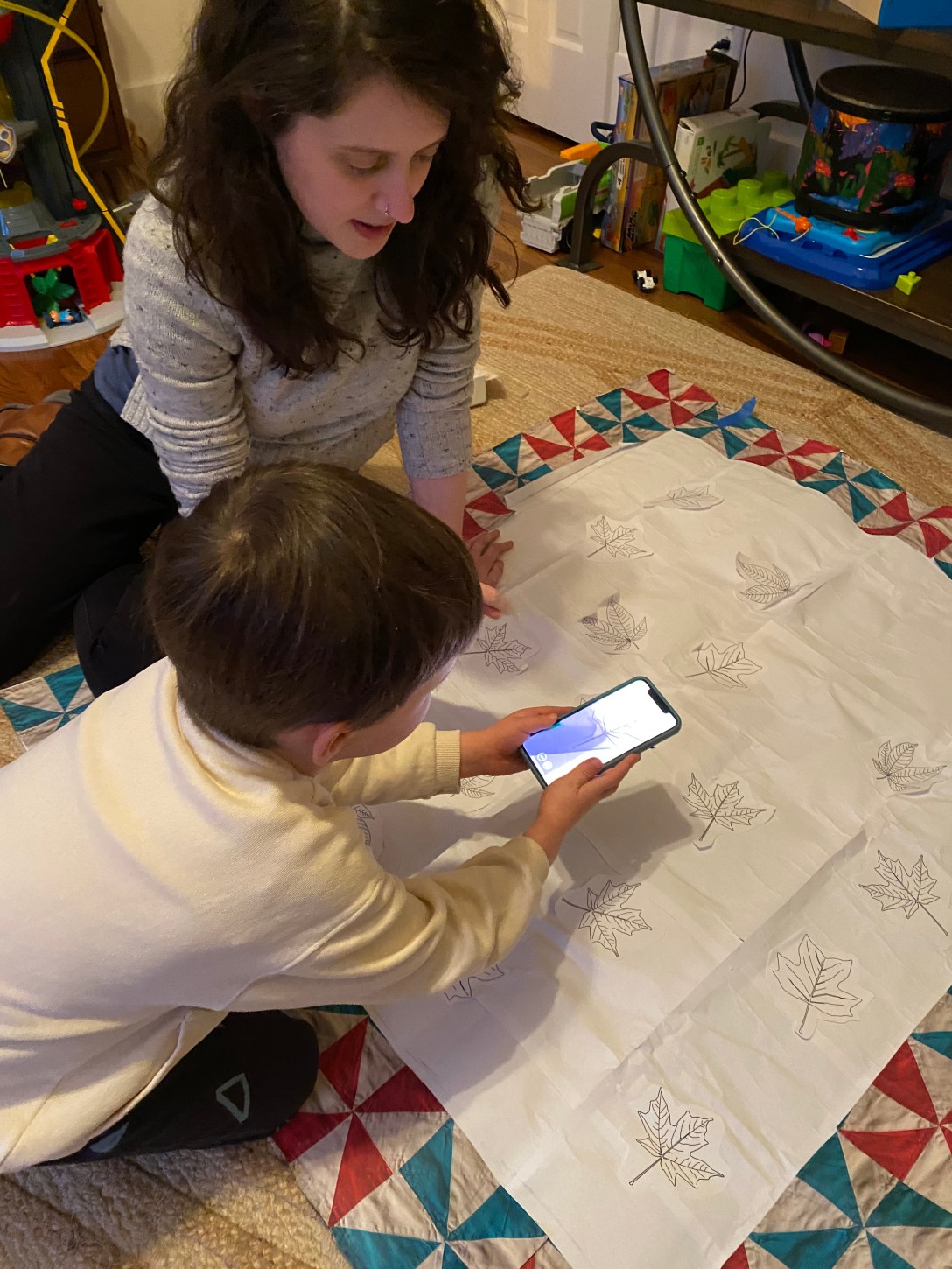
Thesis: Playtest 2.22.20

- notes on size of targets
- onboarding / handling of phone
- legibility of names
- interest in badge system like Seek App
- possiblity for a map layer? / photos both location & timestamped?
- minimizing buttons to be clicked in the UI (kids quickly navigate to home screen / exploring other apps – make sure to have a minimal app set up when user testing in future, or to bury personal apps in a deeper swiped to screen)
Sara & Walt
James & Walt
Hunter & Bonnie
Elyse
Thesis: Office Hours 2.22 / Jingwen Zhu
Magic Windows: Office Hours 2.22 / Rui Pereira
This week we talked about exploring speech as an input for object augmentation. Thinking about WonderScope and GardenFriends.
Thesis: Office Hours 2.22 / Ilana Bonder
Magic Windows: HW3
Hands on
Write a brief paragraph about your idea on augmenting an object.
This should be initial concept for next week’s assignment.
Be clear about your idea, inspirations and potential execution plan.
For this assignment I hope to explore an aspect of my thesis project. For thesis I’m working on a memory quilt designed for my nephews (target age 4/5ish) that uses AR to unlock memories around tree id-ing and walks they’ve taken with their family (mainly parents). This project is inspired by the tree id-ing walks they already go on, my nephews enjoyment of AR and quilts made in our family. The quilt will include repurposed squares from my brothers childhood quilt.
The augmented object will be patches on the quilt illustrated with contour lines of leaves of local trees in their neighborhood like a tulip poplar. When the phone (with vuforia) is held over the patch, the name of the tree will appear, encouraging the name to be read. As you read it the leaf and words will fill in with color in (similar to the voice interaction of wonderscope). when the whole name has been said it will unlock images of trees of they’ve found on past walks / hikes (that have been tagged to that target).
Brain on
List potential input (sensory) and output( feedback) modes that you can leverage in the real world – translate these into technical possibilities using current technology (you can use your mobile device but feel free to bring any other technology or platform (Arduino? Etc..) that you can implement.
Input / Sensory
- sound
- speech
- peripheral senses – ambient light to signal a shift in weather (thinking of the experiments mentioned in reading Tangible Bits: Towards Seamless Interfaces Between People, Bits and Atoms by Hiroshi Ishii and Brygg Ullmer)
- temperature
- motion
- human connection / like touch
- a force / or amount of pressure exerted
- distance between objects
- time (between actions) / duration
- accelerometer / orientation / tilt sensors
- sentiment analysis / emotionally quality of messages & speech
- arduino + distance sensor
- FSR
Output / Feedback
- arduino + heating pad + thermo ink (ex: Jingwen Zhu’s Heart on My Dress)
- animation (play, pause skip around time codes)
- air flow like Programmable Air / expand – contract
- arduino + a range of things like neopixels
- animate or unlock something visual on a mobile device
Choose one of each (input, output) and create a simple experience to show off their properties but, also, affordances and constraints.
- voice / visual feedback – coloring in of leaf with saying a word
- SFSpeechRecognizer
- An object you use to check for the availability of the speech recognition service, and to initiate the speech recognition process.
Experiments: (quick prototype – sliding images / illustrations into view as they would be unlocked through audio / speech recognition)
would like to do another quick experiement that gets both sides of interaction, was only able to get the SFSpeechRecognizer example to work would love for specific words to activate the animations shown above. Was also able to getthe unity tutorials from the past couple weeksup and going on my updated unity again ❤
And loved reading the papers provided including: Tangible Bits: Towards Seamless Interfaces Between People, Bits and Atoms by Hiroshi Ishii and Brygg Ullmer @ MIT Medialab / Tangible Media Group. (post here) and BRICKS: LAYING THE FOUNDATIONS FOR GRASPABLE USER INTERFACES (post here)
Thesis: Office Hrs 2.19 / Katherine Dillon
more soon ❤
Thesis: Office hours 2.18 / Sarah Rothberg
Met with Sarah today to check in about thesis updates. We walked through the mvp and talked about what to note from it for future:
- for documentation
- reshoot video of mvp experience (can use as reference later down the line)
- include storyboards
- start noting anytime specific design forks happen, or decisions made for a certain effect // keep a log
- ex: choosing to make the app less game like (instead of having extra mobile navigation options, choosing to keep it simple, focusing more on the human interaction
- ex: what does it mean to bring the tech to the night time routine?
- instead – making design decisions that encourage day time use of
- choosing to make a throw sized quilt verses a twin or queen
- update thesis journal
- to include all requested items / weekly posts that are mirrored in personal blog
- think more of a lit review verses bibliography / works cited – how does the research support or feed into the larger concepts being explored. how does it affect your thinking or project?
- Questions for User testing
- who is holding the phone? (parent / kid)
- how to solidify that its a multi user experience / underscore the time spent together – human interaction
- what scenarios / time of day would quilt be used? verses bedtime?
PT 2 – Class 2
In Class (2.11)
Presentations Part II
Breakout groups Prototype Review
- develop questions for user testing to see if your prototype meets your personal rubric (and the ITP requirements)
- Discuss strategies for user testing and evaluate your schedules
Assignments:
Keep working (“AYP”):
- Option 1: develop and refine your current prototype
- Option 2: develop a second simple prototype if your first did not satisfy your personal rubric
- User Testing: Using your prototype and specific questions, do a user test with three people outside of our class, one of whom should be an outside expert in your field. Take notes, post on the blog.
Highly Recommended (after your prototype user test):
- Create a more refined schedule (with specific tasks) for getting you to a functional, documented version of your project by March 10. If you’re not ready to do this, please make an OH with Sarah to discuss why not!