Getting Started
Step 1: create dev account @ https://developer.vuforia.com/
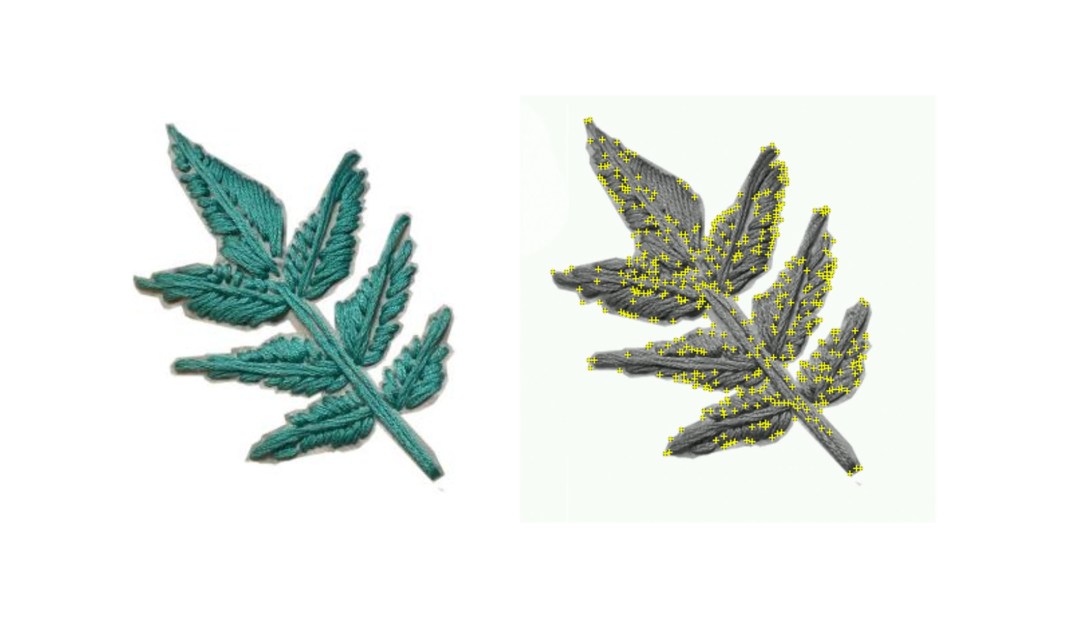
Adding personal target tests: embroidered ash leaves

Step 2: image targets tutorial
-
- eyes on Image Targets documentation: https://library.vuforia.com/content/vuforia-library/en/articles/Training/Image-Target-Guide.html
-
- On the developer portal go to Develop/License Manager and generate a license (keep it handy!)
-
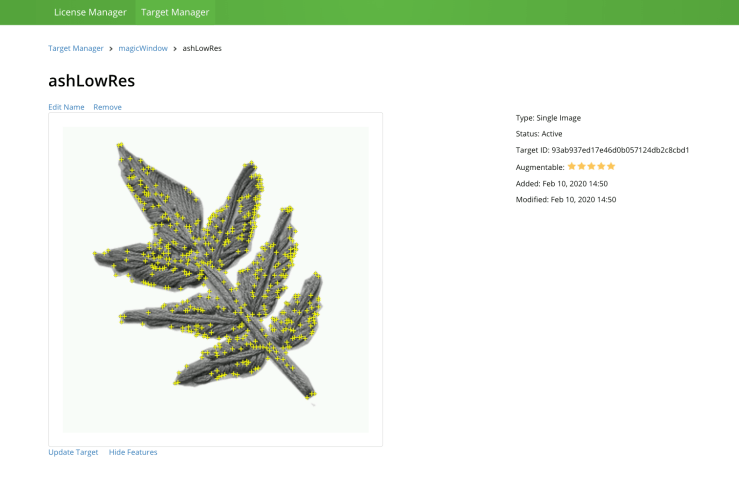
- under Develop/Target Manager create image target and add your target Image(s). Please note its rating and features quality. Below info is pulled from the Vuforia Developer portal:
- “Image Targets are detected based on natural features that are extracted from the target image and then compared at run time with features in the live camera image. The star rating of a target ranges between 1 and 5 stars; although targets with low rating (1 or 2 stars) can usually detect and track well. For best results, you should aim for targets with 4 or 5 stars. To create a trackable that is accurately detected, you should use images that are:”
-
Attribute Example Rich in detail Street-scene, group of people, collages and mixtures of items, or sport scenes Good contrast Has both bright and dark regions, is well lit, and not dull in brightness or color No repetitive patterns Grassy field, the front of a modern house with identical windows, and other regular grids and patterns
-
- “Image Targets are detected based on natural features that are extracted from the target image and then compared at run time with features in the live camera image. The star rating of a target ranges between 1 and 5 stars; although targets with low rating (1 or 2 stars) can usually detect and track well. For best results, you should aim for targets with 4 or 5 stars. To create a trackable that is accurately detected, you should use images that are:”
- under Develop/Target Manager create image target and add your target Image(s). Please note its rating and features quality. Below info is pulled from the Vuforia Developer portal:
- download img database package (as Unity Editor package)
- make sure running Unity on a 2019.2.xx version
- follow guides to set up on ios or android
Iterating off in class tutorial
Image Target class example
- create new project (3D)
- create new scene
- Open build settings and make sure the right platform is selected
- Open Player settings: make sure to add your package/bundle name, etc
- Under XR settings: activate Vuforia
- delete camera and directional light from the project hierarchy
- add ARcamera
- config Vuforia settings
- add App License Key
- config Vuforia settings
- under Assets/Import Package select Custom Package and select the Samples.unitypackage or your own target image database
- add IMG target prefab to the hierarchy
- make sure to select the right database
- make sure to select the right image target
- add a sphere primitive as a child of the image target (name it: ‘eye’)
- scale xyz .2
- pos (0.0, .148, 0.0)
- create and apply white eye material
- add second sphere as child of ‘eye’ and name it ‘pupil
- scale xy z .25 .25 .1
- pos 0, .012 .471
- create and apply new black pupil material
- create a new c# script, name it ‘LookAtSomething’
public class LookAtMe : MonoBehaviour {
// transform position from the object we want to be looking at
public Transform target;
// Update is called once per frame
void Update () {
// use the coordinates to rotate this gameobject towards the target
this.transform.LookAt(target);
}
}
- add the new script to the ‘eye’ GameObject in the hierarchy
- make sure to link the ARCamera (what we want the eye to be looking at) to the target transform property
- test! Move around and check if the eye is always looking at the camera
- make a prefab out of ‘eye’
- add any more necessary instances of the ‘eye’ prefab
- Have fun!
Questions for Rui
- module for mobile environment setup?

 30 KM/s